 Tools
Tools Transcription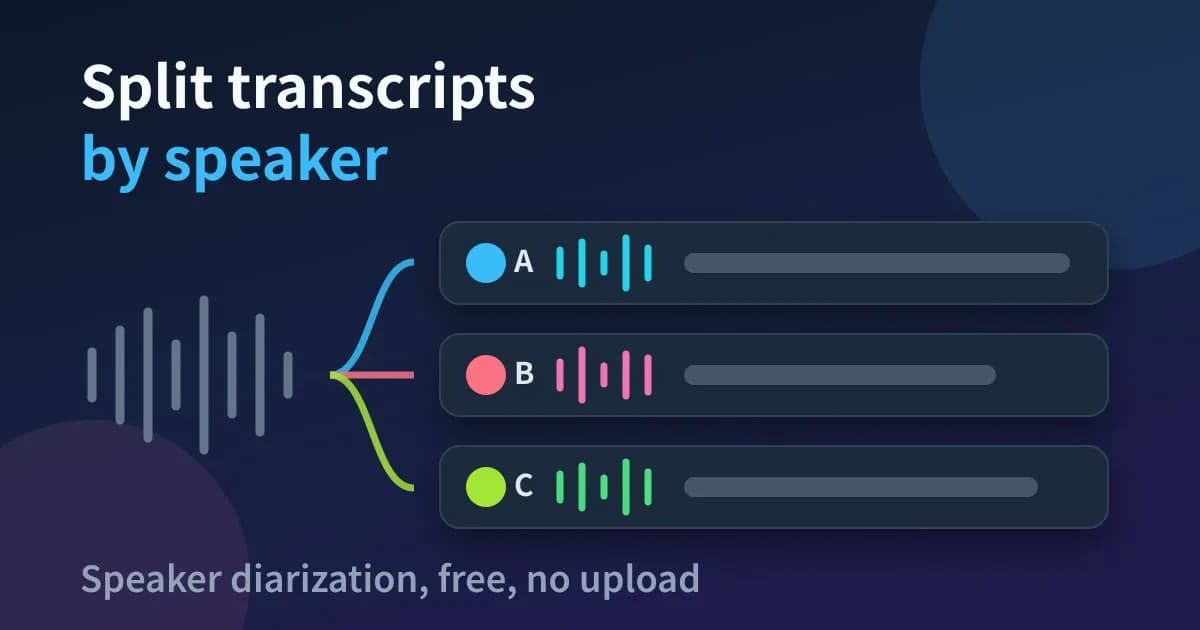
When you transcribe a recording of a meeting or an interview as it is, what comes back is a single run of text with no indication of who said what. Splitting that transcript up by speaker is called "speaker diarization", and if the plan is to read it back later as minutes, skipping this step means listening to the audio again anyway.
Whisper itself, which is what most transcription runs on, has no such feature. Cloud services do offer speaker diarization even on their free tiers, but the monthly allowance is capped and uploading your audio data is a precondition.
This article explains how to run a transcription with speaker diarization entirely in the browser. The second half covers the accuracy I measured while implementing the feature, and the situations where that accuracy does not hold up.
What You'll Learn from This Article
- Why Whisper on its own cannot tell speakers apart
- A comparison of the free ways to do speaker diarization
- How to separate speakers while transcribing in the browser
- How to transcribe Teams and Zoom recordings
- How to fix the parts that come out wrong
All you need is a PC, Chrome or Edge, and a recording with a conversation in it. There is no account, no app install and no file upload.
How speaker diarization relates to Whisper
You sometimes see it written that Whisper has a speaker diarization feature, which is wrong. Whisper is a model that turns audio into text, and it has no mechanism at all for telling voices apart.
Separating out who spoke requires a different model, one built for that job. The one used most often in this area is "pyannote.audio", which slices the audio finely, extracts the characteristics of each voice as a list of numbers, and groups similar ones together to reconstruct one person's utterances across the whole recording.
A transcript with speaker diarization is therefore built from a transcription model and a diarization model working together. Cloud services run both of them on their own servers, which is why using one means uploading your audio data.
Comparing the free options
There are broadly three free routes. The preparation each one takes, the limit on how long you can use them, and whether your audio data is sent to a server all differ, so it is worth lining them up first.
Method | Preparation | Length limit | Sent to a server |
|---|---|---|---|
Cloud services | An account | Free tiers run around 120–300 min/month (as of September 2026) | Yes |
Building it in Python | Python and a GPU environment | None | No |
Processing in the browser | None | None | No |
Building it in Python gives you the most freedom, but getting CUDA or ROCm working is a common place to get stuck. I started down that route myself, then decided it was unreasonable to expect every reader to set that environment up, and rebuilt the same processing so that it runs entirely inside the browser.
What follows is the browser route. If building it yourself in Python is the more interesting option, there is an article at the end that starts from the environment setup.
Steps: separate speakers in the browser
The tool here is "Transcriber", which I built. Both diarization and transcription run inside the browser, so the audio you recorded never leaves the device.

Transcribe meetings inside your browser and split the result by speaker to build minutes. Audio never leaves your device, so confidential recordings are safe. No sign-up, no time limit, with export to Word (DOCX), TXT, PDF and more.
- Open "Transcriber" in the browser.
- Turn "Speaker diarization" on.
- Leave "Speakers (0 = auto)" on "Auto".
- Choose the "Model" and the "Language".
- Load the recording into the drop area. Processing starts as soon as the file is loaded.
Leave the number of speakers on "Auto"
On a PC that can use "WebGPU", the mechanism that lets the browser use the GPU (except in Firefox), leaving "Speakers (0 = auto)" on "Auto" means the audio is processed by NVIDIA's speaker diarization model "Nemotron 3 Diarization". Setting a number of speakers switches it to the older method, which uses "pyannote". The same applies when you transcribe with SenseVoice Small, the default for Japanese, Chinese and Korean. I compared the two on an English conversation between two people and a 6 minute recording with three speakers, and the proportion of time where it got the speaker wrong (DER) was 2.3% and 1.7% on "Auto", and 5.1% and 4.0% with the correct number set.
Setting the number of speakers did not make the older method more accurate either. On the two recordings above, running the older method on "Auto" also gives a DER of 5.1% and 4.0%, the same values as with the number set.
On a 25 minute recording of a National Diet committee in which seven people speak, running the older method on "Auto" gave a DER of 4.3%, and the proportion of time covered by transcript lines with the correct speaker (which I will call "line accuracy" from here on) was 99.0%. Setting 6, the highest number the screen lets you choose, raised the DER to 24.2% and lowered line accuracy to 79% (setting the correct number, 7, gave the same result). The chair speaks only in calls of about one second, which cannot be separated from the other voices, so to reach the number of speakers that had been set, the older method split one person who spoke at length into two.
Transcribing Teams and Zoom recordings
To transcribe a meeting recording afterwards, first save the recording file to your PC and then load it with the steps above. How you save it depends on the meeting tool, so below are the steps for Zoom and Teams, based on Zoom Help and Microsoft Learn as of September 2026.
Zoom
Zoom's "local recording" is available even on a free "Basic" account, but it requires the desktop app for Windows, macOS or Linux; the smartphone and tablet apps cannot make local recordings.
When the meeting ends, a video file video<number>.mp4 and an audio-only file audio<number>.m4a are saved to C:\Users\<username>\Documents\Zoom on Windows or /Users/<username>/Documents/Zoom on macOS. Transcriber extracts the audio from a video before it starts, so choosing the audio-only m4a gets the transcription going sooner.
Teams
Teams meeting recordings are saved to the "Recordings" folder in the organizer's OneDrive. For channel meetings, they go to the "Recordings" folder under "Documents" in the team's SharePoint site.
By default only the organizer and co-organizers can download the recording; other participants can play it but cannot save the file. To transcribe it as a participant, you need the organizer to share the file with you, and depending on your organization's settings, downloading may be blocked altogether.
Teams also has its own transcription feature, but it has to be enabled by your organization's admin. According to Microsoft, one hour of recording is about 400 MB, which fits within the 2 GB limit Transcriber accepts on a PC.
Fixing the parts that come out wrong
Speaker diarization is not perfect. It is weakest on short utterances, and interjections or calls of around a second get assigned to the same speaker as the longer utterance next to them. This weakness stays no matter which model you use, so you will end up fixing these afterwards on the results screen.
When I looked into a recording of a National Diet committee session, there were six short calls along the lines of "Chair, Mr Yamanoi.", and in four of them the older method had already merged the call into the next speaker at the point where the audio is segmented. The problem is not in how the segments are grouped but one step earlier, where the distinction is already lost, so no amount of moving the threshold fixes it. Checking against the official Diet minutes, I counted 11 clear calls, and neither the older method nor Nemotron 3 Diarization separated any of them out as a different speaker.
Since the model cannot fix this, what matters more is that a person can fix it afterwards. The results screen therefore lets you change the speaker on a single line, rename a speaker, merge two speakers that were split by mistake, and split a long line in two.
- Clicking a speaker badge lets you rename that speaker or merge them into another
- To change only one line, pick a different speaker from that line's badge
- "Undo edit" steps back through edits to the text, speakers and line splits, one at a time
How it works, and the accuracy I measured (for engineers)
What follows is about the internal logic, so feel free to skip it if you only want to use the tool. Knowing how it works does make it clear why short utterances fail, and gives you a sense of where to look when fixing the output.
Transcriber has two diarization methods. Since September 24, 2026, it has used NVIDIA's "Nemotron 3 Diarization", but only on a PC that can use WebGPU and when "Speakers (0 = auto)" is set to "Auto". SenseVoice Small, the default for Japanese, Chinese and Korean, transcribes on the CPU, so at first those runs used the older method; since October 28, 2026, they also use Nemotron, because it was more accurate on publicly available evaluation datasets. On PCs that cannot use WebGPU, on smartphones, in Firefox, and when the number of speakers is set or Nemotron's processing fails, it uses the older method, a browser port of the "pyannote 3.1" structure. In Firefox, running Nemotron on WebGPU failed every time and the retry with the older method failed with the same error, so since September 28, 2026, Firefox goes straight to the older method.
The older method has three stages. The audio is first sliced into ten second chunks, and within each chunk the model estimates who is speaking and when. Each chunk then yields a vector describing the characteristics of the voice speaking in it, and finally similar vectors are grouped together to reconstruct one person's utterances across the whole recording.
The first stage uses pyannote's segmentation model "segmentation-3.0", and the second uses "ResNet34" from "WeSpeaker". The segmentation model is only 6 MB, so loading it in the browser involves no waiting. Most of the cost sits in the second stage embeddings and the grouping that follows.
How one person speaking alone became eight speakers
The first implementation subtracted the overall mean from each voice characteristic vector. The intent was to cancel out differences in microphones and rooms between recordings, but measuring it afterwards showed this was what was lowering the accuracy.
In a recording with only one speaker, subtracting the overall mean leaves nothing behind that distinguishes speakers, because the mean matches that person's voice characteristics. With two speakers the distance between utterances from the same person widens instead, and in my simulation that distance opened up from 0.39 to 1.00.
The result was that a recording of one person speaking alone and a conversation between two people both split into the maximum of eight speakers under automatic detection. The grouping threshold had been chosen without measurement as well, so rather than adjusting the threshold, I started by building something that could produce numbers.
Measurements after rebuilding on the pyannote 3.1 structure
I rebuilt it with the same structure as pyannote 3.1 and measured again using the same audio. The metric is DER: the time attributed to the wrong speaker, plus the time where speech was missed and the time where sections without speech were counted as speech, divided by the total speech time in the reference labels. A lower value means the speakers were separated more accurately.
Audio | First implementation (auto) | pyannote 3.1 structure (auto) | pyannote 3.1 structure (speaker count set) |
|---|---|---|---|
English conversation, 30 s, 2 speakers | 8 speakers, DER 57.1% | 2 speakers, 5.1% | 5.1% |
Japanese monologue, 41 s, 1 speaker | 8 speakers, 80.3% | 1 speaker, 0.1% | — |
The conversation above repeated 25 times, 12.5 min | — | 2 speakers, 5.9% | — |
DER stays at 5.9% even stretched to 12.5 minutes, so accuracy does not suddenly collapse on longer recordings. Note, though, that these are values measured on two pieces of audio with hand-made reference labels, and they do not mean every recording reaches this accuracy. I also measured a 25 minute recording of a National Diet committee with seven speakers, and those results are listed at the end of this section alongside the results for Nemotron.
Porting pyannote as-is did not reach this accuracy
Carrying the pyannote procedure across unchanged split the 30 second sample into three speakers (DER 12.3%). Chunks where short utterances overlap produced large numbers of mutually similar vectors, and those were being grouped together as a third speaker who did not exist.
Excluding vectors whose speech within a chunk falls short of two seconds from the cluster seeds, and doing so only under automatic detection, resolved it. Those vectors are kept when the speaker count is set explicitly.
The other awkward part was that the browser-side library had no post-processing for the segmentation model. That model reports its results as combinations of who is speaking simultaneously, so turning those back into per-speaker time ranges was something I had to write myself.
Switching to Nemotron 3 Diarization, and what I measured
"Nemotron 3 Diarization", which NVIDIA released on September 23, 2026, is a speaker diarization model with about 100 million parameters. It belongs to the "Streaming Sortformer" family and can separate up to eight speakers (its license is "OpenMDW-1.1"). Since the day after its release, Transcriber has run it inside the browser, using the ONNX version that "onnx-community" publishes on Hugging Face, with 4-bit weights. The weight file is 73 MB (83 MB if the GPU does not support 16-bit floating point numbers), and the browser downloads it from Hugging Face only the first time it is used.
For the comparison I used both published evaluation results and recordings I have on hand. In the published results for the evaluation dataset "DIHARD III", scored under the same conditions, "pyannote 3.1" has a DER of 21.7% and Nemotron 12.7%. Of the recordings I have on hand, the National Diet committee recording is 25 minutes long with seven people speaking, and at the beginning and the end it contains commentary recorded in 2026 by a Diet member who had spoken in that committee. I made the reference labels by matching the official Diet minutes against Whisper's transcription.
Audio and metric | pyannote 3.1 port (older method) | Nemotron 3 Diarization |
|---|---|---|
English conversation, 30 s, 2 speakers (DER) | 5.1% | 2.3% |
English conversation (30 s) followed by Japanese monologue (41 s), the pair repeated 5 times, 6 min, 3 speakers (DER) | 4.0% | 1.7% |
National Diet committee, 25 min, 7 speakers (line accuracy) | 99.0% | 99.3% (after merging) |
National Diet committee, 25 min, 7 speakers (DER) | 4.3% | 4.4% (after merging) |
Total processing time, National Diet committee, 25 min (my PC, including Whisper tiny) | 240 s (speaker count set to 6) | 190 s |
On the English conversation and the 6 minute recording, DER fell to less than half. On the National Diet recording, line accuracy rose by 0.3 points and DER was 0.1 points worse, so the results are almost the same as the older method's. For the National Diet recording, the 0.25 seconds on either side of each boundary between utterances and four sections where the speaker cannot be identified are left out of the DER calculation, so that DER cannot be compared directly with the DER of the English recordings.
On my PC (a Minisforum UM870 with an integrated Radeon 780M GPU), Nemotron takes about 0.14 seconds per 27 second chunk, which works out to roughly 16–20 seconds of computation for one hour of audio. In the table's total processing times, the older method's 240 seconds was measured with the number of speakers set to 6, because setting a number is what makes a PC with WebGPU switch to the older method.
However, when I used Nemotron's output unchanged, line accuracy on the National Diet recording fell to 83%. This was because the closing commentary (172 seconds) was treated as a different speaker, even though it is the same Diet member's voice as the opening commentary. The split started at the point where the recording switches from the committee video to the closing commentary, and up to just before that, the same member's remarks in the committee were treated as the same speaker as the opening commentary. I have not confirmed the cause, but I think it is related to the fact that the audio Nemotron keeps in order to tell speakers apart (the "speaker cache") holds only a few seconds per speaker.
So after Nemotron's processing I added a step that, for each speaker label, extracts voice characteristic vectors with "WeSpeaker" (the model the older method also uses), averages them, and merges labels whose cosine distance is below 0.25 into one speaker. On the National Diet recording, the distance between the two labels that had been split was 0.07, and every pair of different people was at least 0.54 apart, so the only labels this step merged were the two that belonged to the same Diet member. The National Diet values in the table are after this merging, and the values for the two English recordings are the same before and after it.
On PCs that cannot use WebGPU and on smartphones, I have kept the older method (on smartphones, processing runs on WASM even when WebGPU is available). Running Nemotron on single-threaded WASM takes 4.6–5.1 seconds per 27 second chunk, and on one core of the same CPU it takes about as long as the older method, so it is no faster. The weights downloaded on first use, on the other hand, would grow from 12.7 MB to 83 MB. Even now, 7 of the 15 failures at the diarization stage were smartphones running out of memory (statistics for September 15–24, 2026), so I avoided increasing the weights.
When the number of speakers is set, the older method is used because Nemotron has no way to take a speaker count, and, as covered in "Leave the number of speakers on 'Auto'", setting it does not improve accuracy.
Frequently asked questions
How many speakers can it separate?
Automatic detection can separate up to eight speakers. Meetings with more participants than that cannot be fully separated, and people with similar voices end up merged into one. If you set the number yourself, the screen lets you choose up to six.
Is it really free? Are there limits on how many times I can use it?
It is free to use. There is no limit on the number of runs and no limit on length. Both diarization and transcription run on the visitor's own PC, so no server costs land on my side.
Is there any chance my audio data is sent to a server?
There is not. The diarization model and the transcription model both run inside the browser, so the audio never leaves the device. Apart from downloading the models, Transcriber sends statistics used to fix problems (such as device specs and how long processing took) to the site's server, but these do not include the audio, the transcript, file names or IP addresses. You can turn this off with the switch in the "Help us improve the service" section near the bottom of the page.
How much slower does turning on speaker diarization make it?
It costs the time it takes to read through the same audio a second time, separately from the transcription. On my PC (with an integrated Radeon 780M GPU), using WebGPU with the number of speakers left on "Auto", the diarization model's computation works out to roughly 16–20 seconds per hour of audio. On a 25 minute recording, the whole process including transcription (Whisper tiny) took 190 seconds, or 240 seconds with the number of speakers set, which makes the older method do the processing. PCs that cannot use WebGPU and smartphones run the older method on the CPU, so diarization takes longer there.
Can I use it on a phone?
It runs, but I would not recommend it. Diarization uses memory on top of what the transcription needs, which makes it that much more likely to stop partway. Record on the phone and process on a PC.
Can I change speaker names to real names?
You can. Names are changed from the speaker badge, and the names you set there carry through to the TXT and SRT files you export.
Summary
Running Whisper on its own tells you nothing about who spoke. Speaker diarization is handled by an entirely separate model, and combining the two gets you to something readable as minutes without leaving the browser.
- Turn "Speaker diarization" on before loading the audio file
- Leave "Speakers (0 = auto)" on "Auto"
- Short interjections and calls are merged into the speaker before or after them, so fix them on the results screen
Related articles and tools

A step-by-step guide to transcribing m4a recordings from the iPhone Voice Memos app without converting the format. No upload and no account are needed, and separating speakers and exporting subtitles are done entirely in the browser.

This article explains in detail how to transcribe audio files such as videos and meeting recordings into text completely free of charge using the Python language.

A step-by-step guide to turning a recorded X (formerly Twitter) Space into text for free. Covers downloading the recording, separating speakers and exporting subtitle files, all in the browser without an account or an app install.
 Programing
 Python
 Hosting